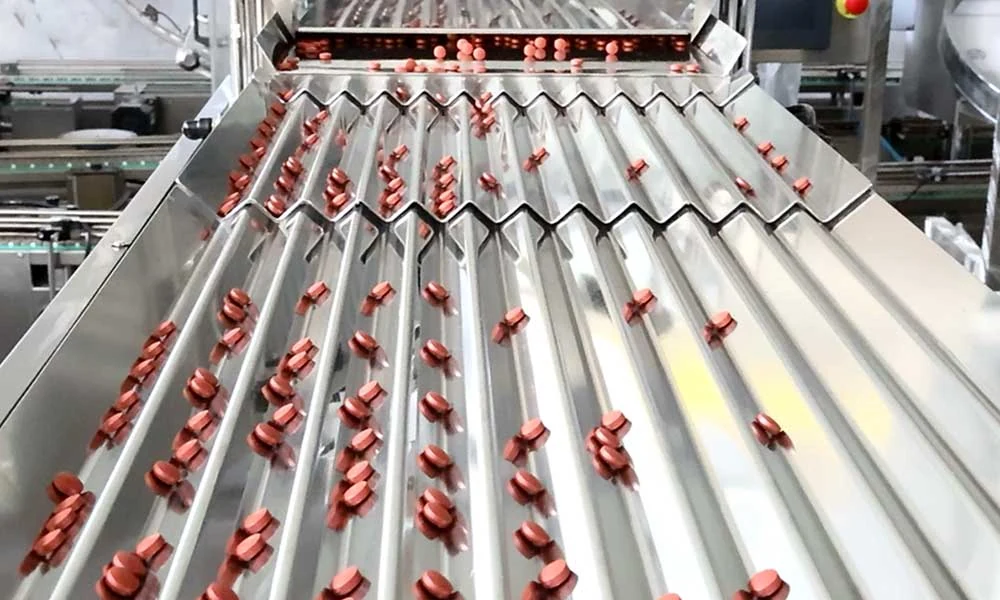
Vibratory product separation
Adjustable vibration spreads the capsules or tablets into channels before they reach the counting head.

Counter & Packing
Count capsules and tablets with shadow-area screening and automatic bottle rejection. Review the feeding, detection and bottle-handling stages together for the product and count you need.
SEE THE EQUIPMENT AT WORK
See a capsule and tablet bottling line in action, from counting to downstream bottle handling.
Discuss your material and trial goalsPlays here · Connects to YouTube
Line reference covering counting and capping. The equipment sequence and configuration for your project are confirmed separately.
A CLOSER LOOK
Controlled feeding helps separate the product. Detection and bottle tracking then work together to keep flagged bottles out of the accepted stream.
Adjustable vibration spreads the capsules or tablets into channels before they reach the counting head.
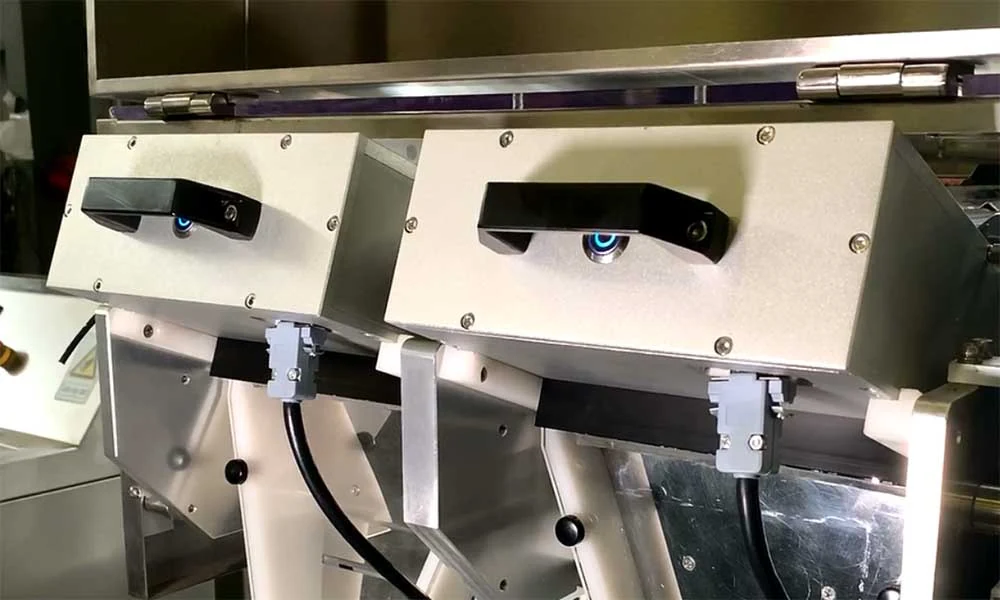
The configured shadow-area window checks the detected silhouette. See the diagram below for minimum, maximum and out-of-range examples.
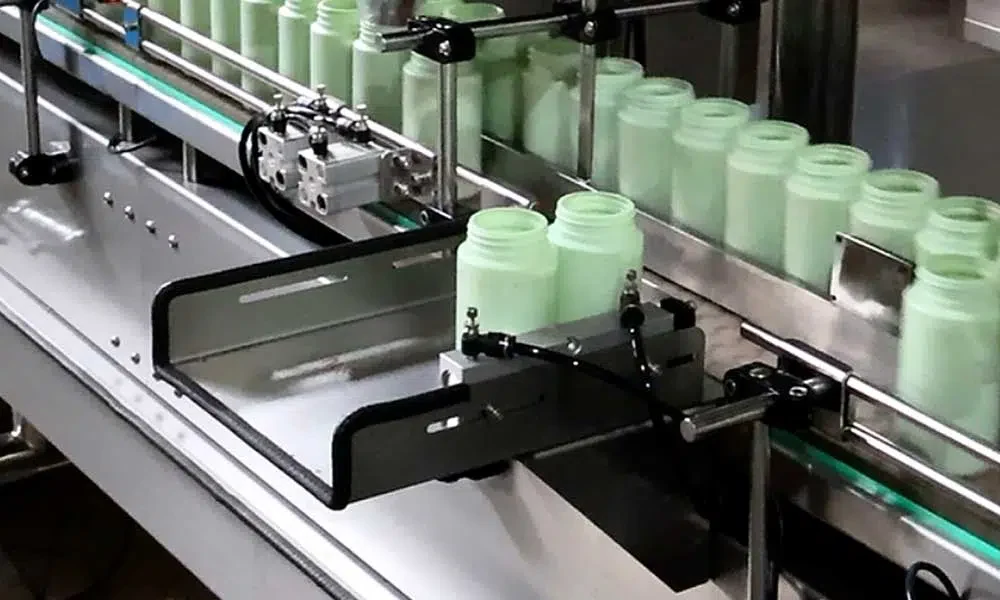
When a detection falls outside the configured area window, the controller flags the associated bottle for rejection.
Catalogue equipment photographs; the selected model, tooling and appearance are confirmed with your quotation.
HOW IT WORKS
Area screening adds an inspection step to the count. Evaluation should use your own product, dust conditions, bottle count and line settings.
Spread the product into the counting channels.
Capture each item’s projected shadow area.
Check the area against the configured minimum and maximum.
Associate out-of-range detections with the bottle being filled.
Remove the flagged bottle from the accepted product stream.
Process overview · Actual equipment sequence and configuration are selected for your application.
CONFIGURATION & SELECTION
CPSL-24 / CONFIGURATION REFERENCECPSL-24 is a model reference, not a specification for every counter shown. Final dimensions, connected load and air requirements are confirmed against the selected machine version.
| Configuration reference | CPSL-24; other channel configurations available |
|---|---|
| Counting channels | 24 on the referenced CPSL-24 |
| Rated maximum output | Up to 100 bottles/min; product and count dependent |
| Count setting | Up to 9,999 pieces/container |
| Product types | Capsules, tablets, softgels and other suitable solid pieces |
| Quoted power supply | 220V, single-phase, 50/60Hz |
| Bottle control | No bottle, no fill |
| Rejection | Automatic rejection; settings reviewed during setup |
COUNTING ACCURACY / AUTOMATIC REJECTION
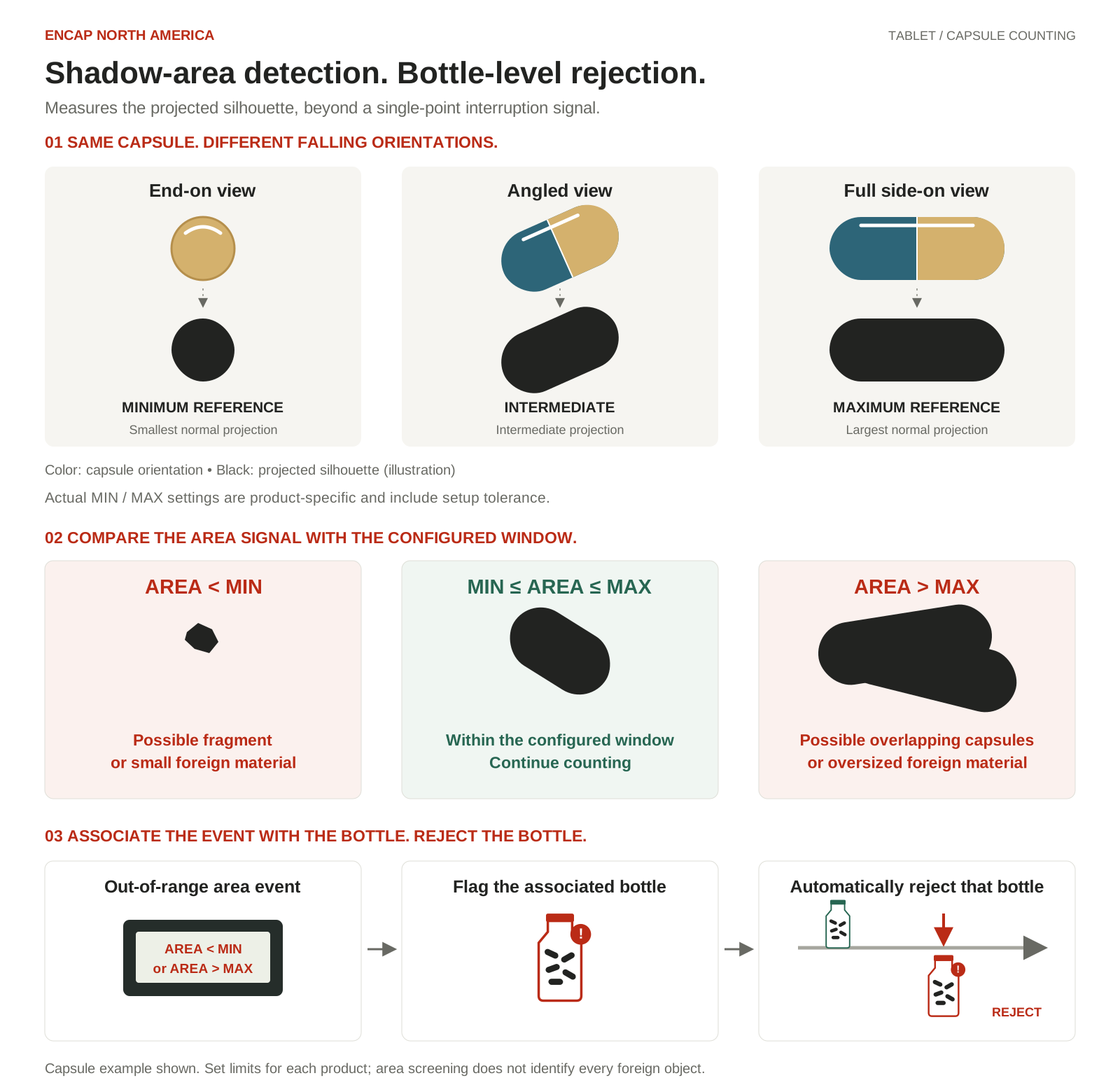
Our electronic counting system adds an area check between a count signal and an accepted bottle. It evaluates the projected shadow area, flags out-of-range events and automatically rejects the associated bottle.
01 / SENSE
As capsules fall end-on, at an angle or side-on, the sensor measures their projected area. A beam-interruption event alone tells you that something passed; area sensing adds information about the passing product.
02 / SCREEN
Product-specific MIN / MAX limits accommodate normal orientations. Signals outside that window flag possible fragments, overlapping capsules or foreign material.
03 / REJECT
The controller associates the abnormal event with its bottle. Automatic rejection removes that bottle from the accepted output stream.
PUT THE DETECTION LOGIC TO THE TEST
Discuss a material trial to review product flow, area limits and bottle rejection. Configured limits and rejection timing are verified with your product during setup.
SUPPORT THROUGH PRODUCTION
Practical support from selection through production. Services, scheduling and responsibilities are agreed for your project.
Review the application, equipment scope, FAT and delivery plan before the machine ships.
Discuss your projectArrange installation assistance, commissioning, operator training and production coaching.
Explore startup supportTalk with our San Diego team about maintenance, troubleshooting, parts and repair.
Ask for technical supportEQUIPMENT FINANCING
Ask about financing for an eligible equipment purchase, with an equipment quote and payment terms reviewed together.
Financing is subject to approval and program availability.
Confirm the exact model, current configuration, utilities and included equipment with our team before ordering.
Download catalogue spec sheet (PDF) · 3.4 MB